


SPR-Pathfinder®
SPR-PATHFINDER® BASIC & PRO: THE DEPOWDERING SOFTWARE
Load your CAD file, create a cleaning program, and reliably remove powder: SPR-Pathfinder® is the depowdering software for LPBF parts. Now available in two versions: SPR-Pathfinder® BASIC as a cost-effective entry-level model, and SPR-Pathfinder® PRO for the most complex geometries, featuring visual simulation and precise time planning.

THE KEY BENEFITS OF THE DEPOWDERING SOFTWARE
Simulate and calculate depowdering already during the design process
Significant time savings compared to manual programming

Fully automated serial cleaning of 3D-printed parts

No manual programming

Simultaneous calculation for multiple parts on a single build plate

Optimized degree of cleanliness
As the leading depowdering software for additively manufactured metal parts, SPR-Pathfinder® automatically calculates the optimal motion program for your parts based on the CAD file. No manual programming and full process reliability and repeatability. The software is now available in two versions: SPR-Pathfinder® BASIC and SPR-Pathfinder® PRO.


WHAT THE PRO-VERSION CAN DO:
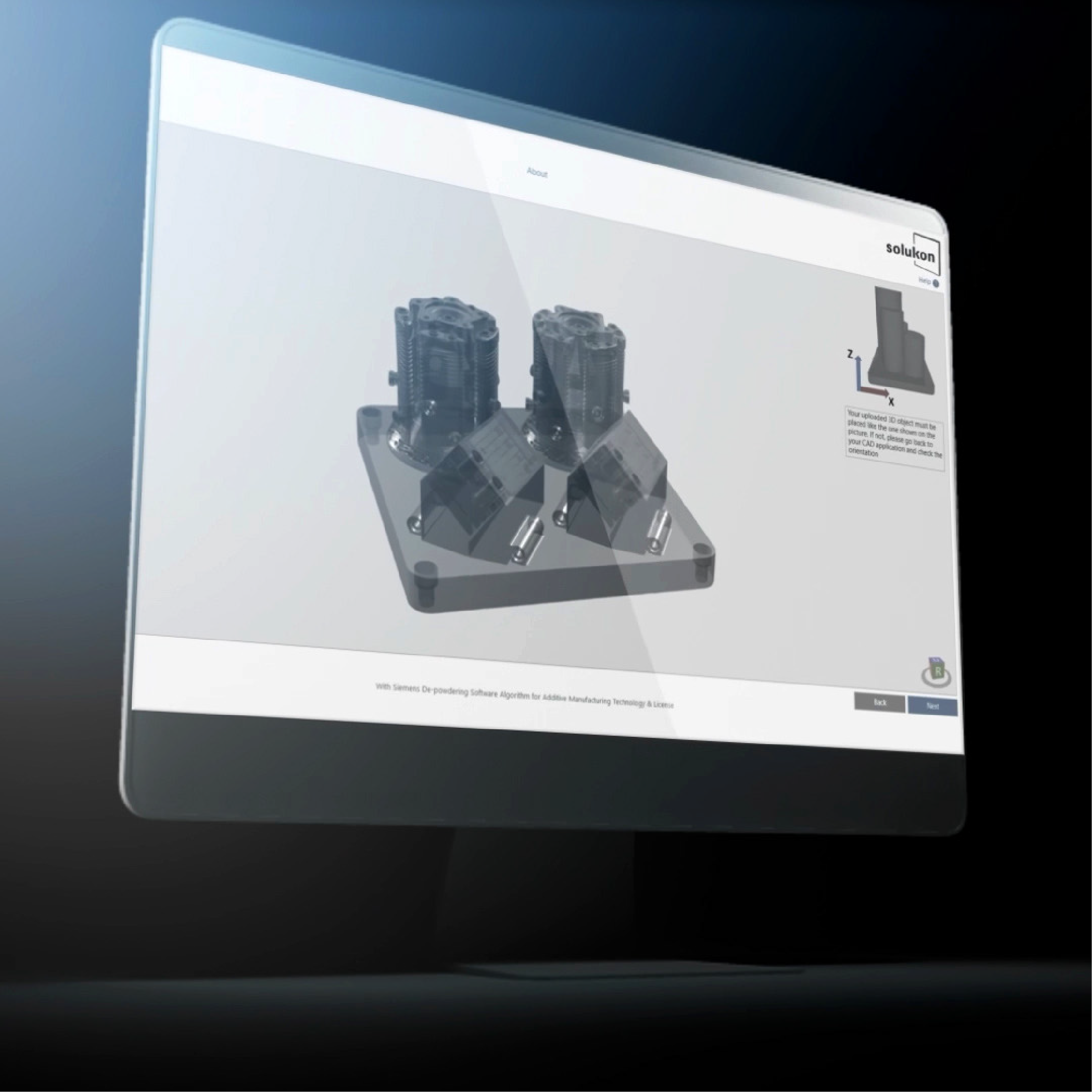
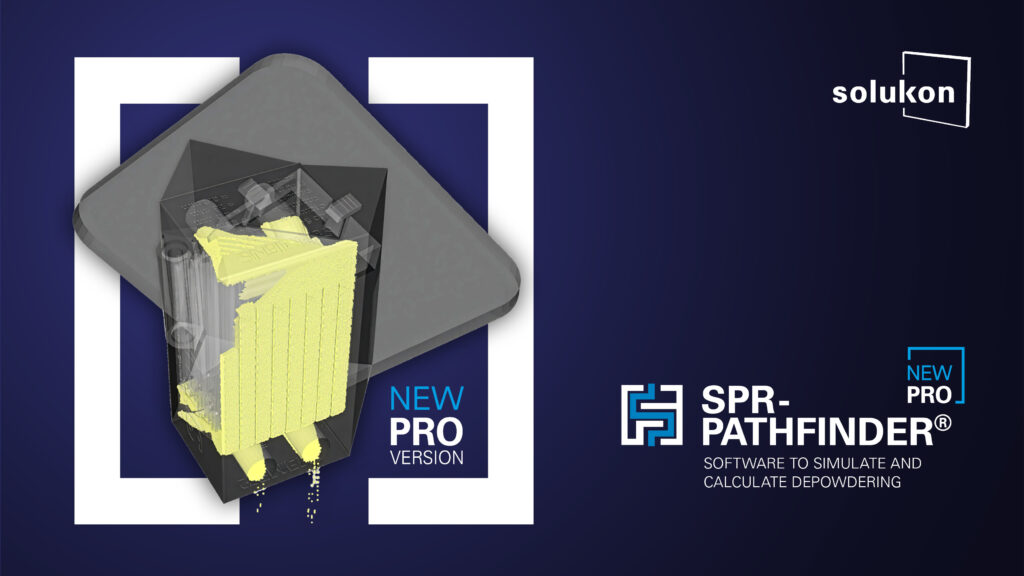
Only SPR-Pathfinder® PRO shows you, before the first cleaning run, how long depowdering will take later in the depowdering system and where the critical areas in the part are. This allows production planners and designers to precisely calculate the entire post-processing workflow before the first part enters the machine.
20X HIGHER SIMULATION RESOLUTION FOR EVEN THE MOST COMPLEX PARTS
TRANSPARENT CROSS-SECTIONAL VIEWS OF THE PART IN ALL PLANES (X, Y, Z)
EXACT DEPOWDERING TIME PREDICTION
ENABLES PRECISE POSTPROCESSING PLANNING

The entry-level software for calculating depowdering programs. For calculating a cleaning program without (visual) simulation, SPR-Pathfinder® BASIC is the right choice.
COST-EFFECTIVE ENTRY-LEVEL MODEL
CALCULATION FOR PARTS OF MEDIUM COMPLEXITY
OVERVIEW AND COMPARISON
OF THE BASIC AND PRO SOFTWARE VERSION
| FUNCTIONS | BASIC | PRO |
|---|---|---|
| Calculation of a cleaning program based on a CAD file | ✓ | ✓ |
| Calculation of the whole build job (also different parts on one build plate) | ✓ | ✓ |
| One software license is sufficient more multiple Solukon systems | ✓ | ✓ |
| Consideration of the material-specific flowability | ✓ | ✓ |
| Pre-simulation of depowdering | – | ✓ |
| Transparent cross-section of the component in all planes (X, Y, Z) to detect powder blockages | – | ✓ |
| Optional pre-cleaning | – | ✓ |
| Editable cleaning program after calculation | – | ✓ |
| Indication of calculation time | – | ✓ |
| Indication of cleaning time in the Solukon system | – | ✓ |
| TECHNICAL LIMITS | ||
| Max. file size | 100 MB | 10 GB |
| Particle limit | 50,000 | 1,000,000 |
THE FOLLOWING SOLUKON SYSTEMS ARE CURRENTLY COMPATIBLE WITH SPR-PATHFINDER®:


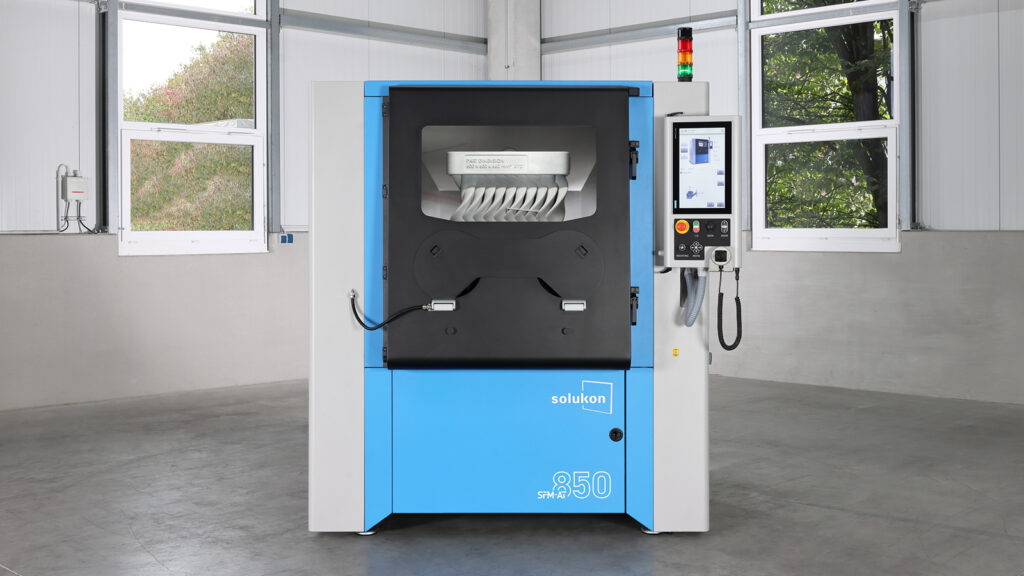
SPR-Pathfinder® runs on Solukon systems SFM-AT1500-S, SFM-AT1000-S, SFM-AT850 and SFM-AT800-S on machines as of series number 1.
*For SFM-AT350, only current serial numbers are compatible with SPR-Pathfinder®.
With Siemens De-powdering Software Algorithm for Additive Manufacturing Technology & License
THE INTELLIGENT
DEPOWDERING PROCESS
Get an individual cleaning program in just 5 steps
- Upload the CAD file to SPR-Pathfinder®
- Set the calculation parameters (e.g. build material)
- Specify the storage location of the file
- Start the calculation
- Transfer the cleaning program to the Solukon system
PRODUCT DETAILS SPR-PATHFINDER®
- Calculation of the whole build job (also different parts on one build plate)


- Consideration of the material-specific flowability
- Pre-simulation of the depowdering process
- Optional pre-cleaning
- Unlimited number of voxels for calculation
- Section views of the component in all planes (X, Y, Z) to detect powder blockages
- Editable cleaning program after calculation
- Indication of calculation time
- Indication of cleaning time
| BASIC | PRO | |
| Operating system | Windows 10 or later | Windows 10 or later |
| RAM | min. 32 GB | min. 128 GB |
| Hard disc space | min. 50 GB | min. 200 GB |
| CAD-Datei | .STL (no ascii) | .STL, .3MF, .STEP (no ascii) |
With Siemens De-powdering Software Algorithm for Additive Manufacturing Technology & License
| TECHNISCHE DATEN | |
|---|---|
| Maschinenmaße (B x T x H) | 1.310 x 1.100 x 2.140 mm |
| Mindeststellmaße (B x T x H) | 2.300 x 2.300 x 2.300 mm |
| Gewicht | 650 kg |
| Netzspannung / Frequenz | 400 / 50 – 60 V/Hz |
| Nennleistung | 1,0 |
| Stromanschluss | 16 |
| BAUTEIL | |
|---|---|
| Gewicht | 100 kg |
| Abmessungen | bis zu 400 x 400 x 400 500 x 280 x 400 |
VIDEO SPR-PATHFINDER® PRO
USE CASES
SPR-PATHFINDER® FAQ
FAQ
SPR-PATHFINDER®
Installation
SPR-Pathfinder® BASIC:
Operating system Windows 10 or higher
RAM Min. 32 GB
Min. 50 GB hard disc space
CAD file in .STL format (not ascii)
SPR-Pathfinder® PRO:
Operating system Windows 10 or higher
RAM min. 128 GB
Min. 200 GB hard disc space
CAD file in formats .3MF, .STEP or .STL (not ascii)
The software can be installed on any computer with a Windows operating system. Please note that the license is tied to a Windows device.
License
With the purchase of a software license, SPR-Pathfinder® can be installed and used on one computer. The number of geometries that can be calculated is unlimited.
No, the SPR-Pathfinder® software is not used on a subscription basis. Users purchase the software once and have lifelong access.
Yes. Maintenance updates and support are included for a period of five years. We continuously develop the software further and try to make it even more efficient with new functions. Extensive function updates are included within one year after we issue the software license.
Yes, one software license can create programs for as many Solukon systems as you like.
Yes, upon request we can provide a 30-day demo version. Please contact our team.
Yes, upon consultation. The prerequisite is that your company has a Solukon system.
Function
The geometries that are manufactured with the LPBF process are becoming increasingly complex. Their complexity poses a depowdering challenge for users. It is not obvious how the part needs to be moved so that the loose powder inside the part can be removed.
SPR-Pathfinder® manages this step. It uses the CAD file of the part to analyze the geometry and calculates the required motion pattern. During the design process, the software can also check whether the geometry can be depowdered.
To remove excess powder from complex internal structures, SPR-Pathfinder® uses the build job’s CAD file to calculate the ideal motion sequence in the Solukon system. The SPR-Pathfinder® calculations are based on a flow simulation that analyzes the part’s digital twin. The individually calculated motion sequence is then read by the Solukon system, which then follows the programmed paths.
Depending on various factors like the complexity and size of the CAD model and the minimum feature size, the software can process the file in anywhere from several minutes to several hours. SPR-Pathfinder® PRO indicates how long the program calculation and the depowdering in the Solukon system will take.
SPR-Pathfinder® is compatible with SFM-AT800-S, SFM-AT1000-S and FM-AT1500-S as of serial number 1, and with the latest SFM-AT350 models as well.
No. SPR-Pathfinder® does not require a network connection.
No. The SPR-Pathfinder® software is an on-premises solution.
Yes. The SFM-AT800-S and SFM-AT1000-S systems are compatible with SPR-Pathfinder® as of serial number 1. Only the newest SFM-AT350 systems are compatible with the software as standard. And our latest system, SFM-AT1500-S, is also compatible with SPR-Pathfinder®.
For calculations, SPR-Pathfinder® PRO uses CAD files in the .STL, .STEP or .3MF format. SPR-Pathfinder® BASIC needs .STL format.
Yes, the software is stand-alone software and does not forward data to third parties, not even to Solukon.
Voxels are small, cube-shaped building blocks of a CAD model. In SPR-Pathfinder®, each component is first virtually divided into voxels (the number of voxels depends on the minimum feature size) in order to determine the powder removal strategy. Particles, on the other hand, are small “virtual powder grains” generated by the software to fill empty voxel gaps. In the simulation, particles behave like real powder grains.
The higher the number of particles the software can generate, the better the visualization process.
Versions
SPR-Pathfinder® BASIC is sufficient for customers who want to calculate a cleaning program for parts of medium complexity and do not require simulation and/or Design for Depowdering information. You need SPR-Pathfinder® PRO to calculate a cleaning program for highly complex components and to comprehensively simulate the depowdering process in advance in order to derive recommendations for design adjustments (= Design for Depowdering). SPR-Pathfinder® BASIC is suitable for files up to 100 MB in size. For larger component files, you will need the SPR-Pathfinder® PRO version.
First, check if your part file is smaller than 100 MB. If so, BASIC may be sufficient, provided you do not require extensive simulation capabilities. For larger part files and high simulation demands, you will need PRO. Please contact us for personalized advice.
By introducing SPR-Pathfinder® in two versions, we are aligning our offering with market demand. As our customers’ components become increasingly complex, we now offer SPR-Pathfinder® PRO as a comprehensive simulation tool. For customers who simply want to calculate an individual cleaning program for their components, SPR-Pathfinder® BASIC remains sufficient.
Simulation refers to visualizing the depowdering process in advance in the software. In a three-dimensional cross-section of the component, it is possible to identify specific critical areas for depowdering inside the part. The component is also rotated in the software in the same way it will later be rotated in the Solukon system.
Certain simulation capabilities already existed in the previous version of SPR-Pathfinder®. However, the simulation functions in SPR-Pathfinder® PRO have been significantly expanded and enhanced. In SPR-Pathfinder® PRO, the component is rotated in the software exactly as it will later be rotated in the Solukon system. This is a new feature. In addition, the transparency of the component can now be adjusted in the simulation to provide an even better overview of the powder distribution inside the part. Another new feature is that the software now specifies the exact duration of the depowdering process.
Yes. There are special conditions for existing SPR-Pathfinder® users. Please reach out to our team.
Existing software licenses naturally remain, of course. If you would like to upgrade to SPR-Pathfinder® PRO, please contact us for a quotation.